Protect the 5 Minute Close: Lesson Time Management for Music Teachers

The single most effective lesson time management routine combines three moves: a feed up/feed back/feed forward feedback loop, a Plan—Practice—Reflect structure for turning notes into practice, and a timed lesson template that ends with a co-created closing. A dedicated platform can automate the parent summary piece of this system. The templates and scripts below show exactly how to run it, lesson by lesson.
TL;DR:
- Using a fixed lesson structure with timed segments ensures efficient use of the full lesson time, regardless of duration.
- Breaking practice tasks into focused chunks with specific strategies leads to better skill development than simply increasing repetition.
- Implementing a feed up/feed back/feed forward feedback loop enhances student progress by making feedback clear, actionable, and measurable.
- Tracking practice with simple logs and providing reflection prompts fosters consistent student improvement and accountability.
- Employing platforms that automate lesson notes, parent summaries, and administrative tasks helps maximize teaching time and reduces burnout.
Table of Contents
- Minute-By-Minute Lesson Templates For 30, 45, and 60 Minutes
- How Do You Turn Lesson Notes Into A Practice Plan?
- What Is the Feed Up, Feed Back, Feed Forward Model?
- Should You Use a Weekly Practice Log Template?
- How Do You Write Progress Summaries Parents Actually Read?
- Copyable Lesson Templates You Can Use Today
- How Do You Handle Admin Without Losing Lesson Time?
- Why Handoff Beats Extra Playing Time
- How This Routine Can Be Supported by Technology
- Key Research and Templates to Consult
- Sources
- FAQ
Minute-By-Minute Lesson Templates For 30, 45, and 60 Minutes
Most private lessons lose their most productive minutes to unstructured warmup and rushed goodbyes. A fixed skeleton solves that, whatever the lesson length.
Here’s a workable structure teachers can adapt on the spot:
- Open (2 to 4 minutes): Review last week’s practice log, ask one pointed question about what worked, and set today’s focus.
- Technique block (3 to 8 minute micro tasks): Isolate one or two problem spots, scales, or exercises. Short bursts keep attention sharp and let you give feedback fast.
- Repertoire (split into 2 to 3 chunks): Assign a specific practice strategy to each chunk rather than “play it again.”
- Buffer (2 to 3 minutes): Handle instrument adjustments, page turns, or a quick scheduling note without eating into instruction time.
- Close (5 minutes): Co-create next week’s practice plan and confirm “where to next.”
A 30-minute lesson compresses the technique and repertoire blocks into single, tighter passes. A 60-minute lesson gets a second repertoire chunk and room for sight-reading or theory. The closing five minutes and opening review stay fixed regardless of length. That consistency is what makes the routine repeatable across a full studio roster.
Pro Tip: Set a visible timer during the technique block. Students self-correct faster when they can see the clock counting down instead of guessing how much time is left.

How Do You Turn Lesson Notes Into A Practice Plan?
Scribbled lesson notes rarely survive contact with a student’s week. The fix is a Plan—Practice—Reflect sequence: set a specific goal, break the piece into chunks with a strategy attached to each, then hand the student a reflection prompt to fill out after practicing. This method, recommended by NAfME, gives students something concrete to act on instead of a vague “work on measures 20 to 40.”
Say a student is struggling with a rhythmically tricky passage in measures 24 to 32. Instead of writing “practice the tricky part,” break it down:
- Measures 24 to 27: clap the rhythm alone, then play hands separately at quarter note = 60.
- Measures 28 to 32: isolate the left hand, repeat four times slowly, then add the right hand.
- Full passage: play through three times at a slower tempo before returning to speed.
Each chunk gets its own strategy because different problems (rhythm, coordination, memory) respond to different fixes. Deliberate practice research backs this up: breaking tasks into focused, monitored chunks is a defining feature of how skilled musicians actually improve.
| Practice Element | Teacher Note (Vague) | Student Instruction (Actionable) |
|---|---|---|
| Tempo | “Play it slower” | “Practice at quarter = 60 for 3 days” |
| Repetition | “Repeat until solid” | “5 clean repeats before moving on” |
| Focus area | “Watch your left hand” | “Left hand alone, measures 28 to 32, 4 times” |
Close with a reflective prompt: “What felt easiest today? What will you check first next time?” That question is what turns repetition into actual learning, not just time spent with an instrument in hand.
What Is the Feed Up, Feed Back, Feed Forward Model?
Feedback that moves a student forward answers three questions in order: where am I going (feed up), how am I doing (feed back), and what’s next (feed forward). This tripartite structure is well documented in music performance teaching research, and it works because vague praise gives students nothing to act on.
Scripts you can use inside a lesson:
- Feed up: “Today we’re aiming for a steady tempo through the whole B section, no stopping.”
- Feed back: “Your rhythm was solid, but the dynamics flattened out after measure 16.”
- Feed forward: “Next time, exaggerate the crescendo starting at measure 14, then check it against the recording.”
- Quick check: “Show me what that crescendo should sound like before you try it again.”
That last script matters more than teachers usually give it credit for. Feedback only counts if the student can repeat it back, demonstrate it, or explain it in their own words. Dialogic feedback, where the student has to articulate what they heard, helps students internalize self-monitoring far faster than a monologue of teacher corrections.
Pro Tip: Ask the student to explain the feedback in one sentence before they play again. If they can’t, the instruction was too vague, not the student’s fault.
Should You Use a Weekly Practice Log Template?
Yes. A simple log completed with the student during the last five minutes of the lesson does more for follow-through than any amount of extra playing time inside the lesson itself. Practice logs paired with guided reflection scaffold the kind of self-monitoring that separates students who improve steadily from those who plateau.
A working template needs six fields:
| Field | Purpose |
|---|---|
| Goal | What this week’s practice targets |
| Time practiced | Daily minutes, logged by the student |
| Strategies used | Which technique from the lesson got applied |
| Result | What improved or didn’t |
| Challenge | Where they got stuck |
| Next goal | What to try next |
- Co-fill the goal and strategy fields together at the end of the lesson.
- Have the student (or a parent, for younger children) log time and results daily.
- Review it together at the start of next week’s lesson before moving to new material.
For younger students, keep tasks under 10 minutes each and loop in a parent for logging. Older students can submit recordings alongside the log for added accountability.
How Do You Write Progress Summaries Parents Actually Read?
Parents skim. A summary that runs three paragraphs gets ignored; one that fits one goal, two actions, and a timeline gets read and often acted on. Consistent teacher-parent communication correlates with longer lesson commitments and better practice habits, which makes this five-minute task worth protecting even on a rushed teaching day.
Three templates worth stealing:
- Young beginner: “This week: steady quarter notes. Practice: 10 minutes daily, clapping the rhythm before playing. Watch for: rushing during the fast section.”
- Intermediate student: “Goal: even dynamics through the B section. Practice: slow run-throughs with the metronome, then full tempo. Check-in: recording by Thursday.”
- Prep for recital: “Goal: performance-ready by the 20th. Practice: full run-throughs daily, no stopping for mistakes. Success looks like: three clean run-throughs in a row.”
Some tools offer workflows that turn a teacher’s lesson notes directly into this kind of parent-ready summary, which can save the time many teachers spend rewriting notes into an email after a full teaching day.
Pro Tip: Send the summary the same day as the lesson. Parents forget what “practice more” meant by Wednesday if it arrives Friday.
Copyable Lesson Templates You Can Use Today
Paste these skeletons straight into your lesson notes system:
- 30-minute lesson: 2 min log review, 5 min technique, 15 min repertoire (2 chunks), 3 min buffer, 5 min close.
- 45-minute lesson: 3 min log review, 8 min technique, 25 min repertoire (3 chunks), 4 min buffer, 5 min close.
- 60-minute lesson: 4 min log review, 10 min technique, 35 min repertoire (3 chunks) plus theory, 6 min buffer, 5 min close.
Sample filled conversion: a note reading “clean up the ending” becomes three tasks: “measures 40 to 44, hands separate, 4 slow reps,” “measures 45 to 48, full tempo with metronome,” and “full ending, 3 clean run-throughs.” Pair it with a reflection prompt: “Which chunk needed the most repeats?” And close with a one-line parent summary: “This week: polishing the ending. Practice: 15 minutes daily, slow to fast.”
How Do You Handle Admin Without Losing Lesson Time?
Scheduling changes, payment reminders, and makeup requests are the fastest way to eat into instruction minutes if they’re handled reactively, mid-lesson. The fix is moving every recurring admin task outside the lesson window entirely, not squeezing it into the buffer you built for transitions.
Batch scheduling once a week instead of negotiating individual changes as they arrive. A single email or shared calendar link asking families to flag conflicts by a set day keeps last-minute texts from interrupting a Tuesday afternoon lesson. Payment reminders work the same way: automated invoices sent on a fixed monthly date remove the awkward in-person “just a reminder about tuition” conversation that otherwise creeps into the first two minutes of a lesson.
Makeup requests deserve a standing policy, written once and shared with every family, so each request doesn’t become a negotiation. Something as simple as “makeups available with 24-hour notice, subject to availability” answers 90 percent of questions before they’re asked.
The 2 to 3 minute buffer built into each lesson template exists for genuine in-lesson admin, like confirming next week’s time or noting a recital date, not for chasing down an unpaid invoice. Keep those separate, and the buffer stays useful instead of becoming a dumping ground for whatever administrative fire is burning that week. Platforms that automate invoicing and scheduling reminders can remove most of this friction before it ever reaches lesson time.

Why Handoff Beats Extra Playing Time
Teachers often assume more playing time in the lesson equals more progress. It doesn’t. A clean handoff, specific goals, chunked strategies, a co-created plan, produces better outcomes than squeezing in extra repetitions while the teacher is watching. The real work happens during the week, not the lesson. Try one template for four weeks and compare practice logs before and after.
— Dave
How This Routine Can Be Supported by Technology
Every piece of this system, the practice-log template, the Plan—Practice—Reflect conversion, the parent summary, can be built by hand in a notebook or a shared doc. Some platforms are designed for teachers who’d rather spend that time teaching. Such platforms are built specifically around the workflow this article describes: lesson notes turn directly into parent-ready summaries that replace the twenty-minute post-lesson email rewrite.
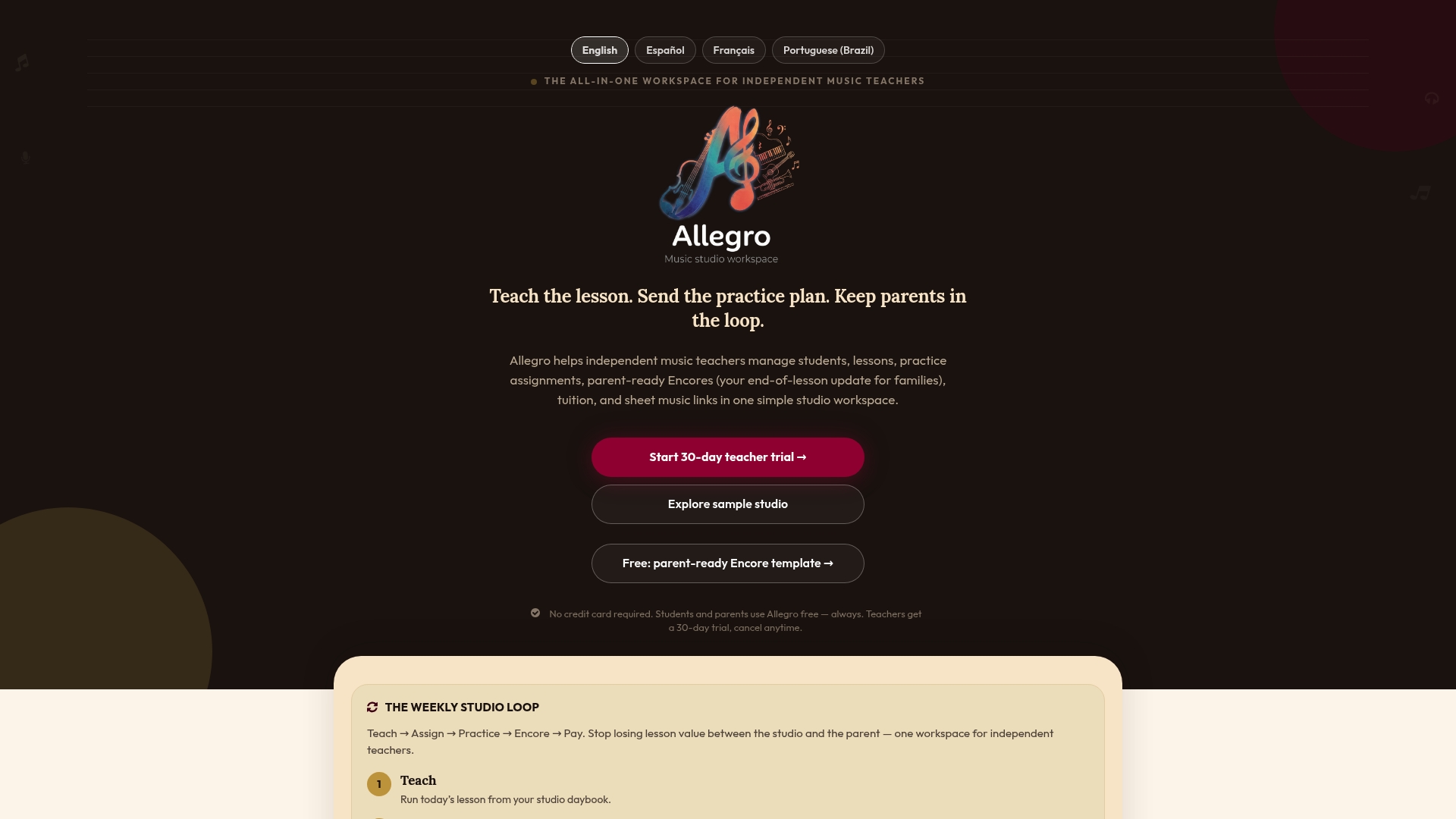
Practice logs, tuition tracking with built-in payment links, and lesson templates live in one workspace instead of scattered across three apps and a paper notebook. Free templates and instrument demos are available to try before committing to anything. If the routine in this article sounds like what your studio needs, the Studio plan runs $39 per month after a 30-day trial, or start with the Solo plan if you’re a one-teacher operation testing the waters. Either way, the Allegro workflow is built to handle the admin so lesson time stays lesson time.
Key Research and Templates to Consult
For deeper reading: the feed up/feed back/feed forward model, NAfME’s Plan—Practice—Reflect guidance, metacognition logs research, and practical perspectives on parent involvement in lessons are worth bookmarking.
Sources
- Feedback in music performance teaching
- Effective and organized learning processes in music practice - NAfME
- Fostering Effective Practice: Using Metacognition Logs in the Private Voice Studio
FAQ
What Is the Best Way to Structure Lesson Time?
The most effective structure opens with a short practice-log review, moves through focused technique and repertoire chunks, and closes with five minutes of co-creating next week’s plan. This keeps feedback specific and forward-looking rather than vague.
How Long Should Buffer Time Be Between Lessons?
Two to three minutes is enough for transitions, quick admin notes, or instrument adjustments without cutting into instruction. Building this buffer into every lesson template, rather than borrowing time from the closing minutes, keeps the co-created practice plan from getting rushed.
How Do I Turn Lesson Notes Into a Practice Plan Students Will Follow?
Break the material into small chunks, assign a specific strategy to each one, and give the student a reflection prompt to complete after practicing. This Plan—Practice—Reflect approach turns vague notes like “practice more” into instructions a student can actually act on.
Does Allegro Music Studio Help With Lesson Time Management?
Yes. Allegro Music Studio converts lesson notes into parent-ready Encore summaries, tracks practice logs, and manages tuition and scheduling in one workspace, which removes admin work that would otherwise cut into lesson or planning time. The Studio plan is $39 per month after a 30-day trial.
How Often Should Practice Logs Be Reviewed?
Weekly, ideally at the start of each lesson before moving into new material. Reviewing logs together helps teachers spot patterns in a student’s practice habits and adjust the coming week’s plan accordingly.